Back to Blogs
Learn what to look for in video review software for treatment centers, including AI search, case management, alerts, and multi-site access.
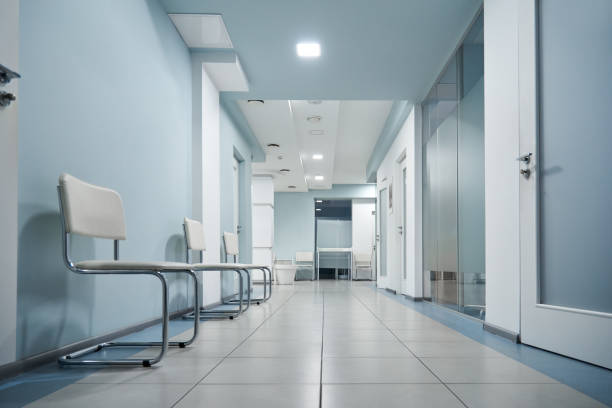
Treatment centers and rehabilitation facilities may need to review security footage after an access concern, physical incident, missing property report, visitor issue, slip or fall, or unexpected exit.
The challenge is finding relevant video without spending hours reviewing recordings across multiple cameras.
Modern video security software can make footage easier to search, organize, and securely share. For treatment facilities with compatible cameras already installed, LiveReach can add AI-powered search, configured alerts, case management, and centralized access without automatically replacing the entire camera system.
For organizations balancing security improvements with budget constraints, this can also provide a more cost-effective path to modernization by preserving usable camera infrastructure.
A good video review platform should help authorized staff find relevant footage while maintaining appropriate controls over who can access it.
Treatment centers should look for:
LiveReach brings AI search, alerts, case management, and role-based access together for treatment and rehabilitation facilities.
Camera placement in a treatment environment requires more care than it might in a typical commercial property. Video security should focus on appropriate shared, exterior, access, and operational areas.
Common use cases include:
Review activity around main entrances, reception areas, visitor access points, staff entrances, exterior doors, and other designated access locations.
Video can help teams understand when someone entered or exited and review related activity around the event.
Configured zone or line-crossing alerts may also help draw attention to activity around designated boundaries or exit areas when supported by the deployment.
These alerts should support staff awareness and established procedures rather than be treated as a guarantee that every unauthorized exit will be detected.
Appropriately placed cameras can provide context around incidents in lobbies, hallways, dining areas, recreation spaces, courtyards, and other shared environments.
Relevant footage can help authorized teams understand the sequence of events without relying only on individual accounts.
These areas may also be appropriate for supported safety analytics. LiveReach AI can identify certain slip or fall incidents, helping authorized teams locate related footage and review what happened.
Slip and fall detection should be treated as another source of awareness and investigative context, not as a substitute for staff supervision, emergency procedures, or clinical care.
Video can help investigate vehicle incidents, perimeter concerns, visitor activity, property damage, or other events occurring outside the building.
Configured alerts can also support awareness around designated property boundaries, gates, or other areas where movement may require review.
Facilities may use cameras around medication storage entrances, administrative areas, supply spaces, and other controlled locations.
Configured alerts and related footage can help authorized teams review unexpected activity involving these areas.
Zone-based or supported line-crossing alerts can also be useful when a facility wants additional awareness around a designated restricted boundary.
When an unexpected exit or elopement concern occurs, footage from designated exits and nearby cameras can help staff understand which area was used and review the person's movement.
LiveReach can support configured zone and activity alerts around appropriately monitored exit areas. Where line-crossing detection is supported and configured, it may provide another way to flag movement across a defined boundary.
These tools support awareness and incident review, but they should not be presented as guaranteeing that an unexpected exit will be detected or prevented.
Treatment facilities operate in environments where patient dignity and privacy are especially important.
A responsible video security program should establish clear rules around camera placement, user access, retention, and footage sharing.
Video security should focus on shared, exterior, access, and operational spaces where surveillance is appropriate.
Facilities should carefully evaluate camera placement in private or sensitive areas based on applicable laws, organizational policies, patient privacy requirements, and the nature of the treatment environment.
Safety analytics such as slip and fall detection should likewise be limited to areas where camera use is appropriate.
Not every employee needs access to every camera.
Role-based permissions can limit users to the facilities, cameras, footage, and functions relevant to their responsibilities. LiveReach supports custom permissions for controlling who can view, share, or manage footage.
Treatment organizations should define who can review footage, why it may be accessed, how it can be shared, and how long it should be retained.
The video platform should support those policies rather than replacing the facility's legal, privacy, or compliance procedures.
In many cases, yes.
A treatment facility may not need to replace every camera simply to gain access to newer video management features.
LiveReach is designed to work with many compatible existing camera environments, allowing treatment and rehabilitation facilities to add AI-powered search, alerts, case management, and centralized management while preserving usable infrastructure.
Its AI-NVR provides the local recording and processing layer that connects compatible cameras with the LiveReach platform.
This can improve the economics of an upgrade in several ways:
Cost effectiveness should still be evaluated based on the full deployment. Camera condition, network requirements, retention, installation, software licensing, and the features needed at each location can all affect total cost.
Not every existing camera will necessarily be appropriate for every use case. Image quality, placement, network infrastructure, and compatibility should all be reviewed before deployment.
For treatment organizations with procurement requirements around approved security hardware, camera sourcing may be another factor to consider.
LiveReach offers NDAA-compliant IP cameras as part of its camera lineup. This can be useful for organizations that require NDAA-compliant camera hardware for new installations or when replacing cameras that no longer meet facility requirements.
Facilities can therefore take a mixed approach. Compatible existing cameras may remain in use where appropriate, while LiveReach NDAA-compliant cameras can be considered for new coverage or camera replacements.
NDAA compliance should be evaluated at the hardware and procurement level based on the organization's specific requirements. It should not be interpreted as a blanket statement that every component of a video security deployment automatically satisfies every regulatory or compliance obligation.
LiveReach provides treatment and rehabilitation facilities with a video security platform focused on physical security and incident review.
Authorized teams can use LiveReach to:
LiveReach can support environments including substance use treatment centers, behavioral health facilities, residential treatment programs, rehabilitation facilities, outpatient centers, recovery residences, and multi-location treatment organizations.
LiveReach should be used as a physical security and operations platform. It is not a clinical monitoring system and should not be positioned as diagnosing medical conditions, detecting patient distress, or replacing trained clinical personnel.
Before selecting a video review platform, ask:
The right platform should make physical security footage easier to use while supporting the facility's existing privacy, access, operational, and budget requirements.
Treatment centers should look for software that combines AI-powered video search, case management, role-based access, configured alerts, secure sharing, and centralized management.
LiveReach offers these capabilities for compatible camera environments and is designed to support physical security and incident review across treatment facilities.
Yes. AI-powered search can help authorized users locate relevant people, vehicles, movement, and events without reviewing recordings minute by minute.
This can be useful when investigating access concerns, visitor activity, missing property, altercations, perimeter issues, slip or fall incidents, and unexpected exit activity.
LiveReach supports AI capabilities that can identify certain slip or fall incidents. In appropriately monitored treatment center common areas, this can help teams locate related video and review the circumstances around an event.
AI detection should support established safety procedures rather than replace staff observation or emergency response.
Depending on the camera environment and configured analytics, boundary or line-crossing-style alerts may be used to draw attention to movement across designated areas.
Treatment centers should confirm the specific detection capabilities available for their deployment and use them as an awareness tool rather than a guarantee that every event will be detected.
Yes. LiveReach offers NDAA-compliant IP cameras for organizations that need compliant camera hardware.
Treatment centers may be able to continue using compatible existing cameras while adding NDAA-compliant cameras where new or replacement hardware is required.
Yes, in many cases. LiveReach is designed to work with compatible existing camera environments, allowing treatment facilities to modernize without automatically replacing every camera.
This can help make an upgrade more cost-effective by preserving usable equipment. Compatibility should be confirmed based on the cameras, network, and infrastructure at each location.
Yes. LiveReach supports centralized management across treatment centers, rehabilitation facilities, residential programs, and administrative locations while allowing user access to be limited by responsibility.
No. LiveReach is a physical security and operations platform. It can help authorized teams review appropriately monitored facility areas and investigate security incidents.
It should not be used or presented as a clinical monitoring system, medical device, or replacement for trained clinical staff and established emergency procedures.
Security footage is most useful when authorized teams can quickly find relevant video, understand what happened, and organize the information needed for an investigation.
LiveReach helps treatment centers add AI-powered search, configured alerts, case management, role-based access, and centralized visibility to compatible camera environments. Facilities can also preserve compatible existing infrastructure and add NDAA-compliant LiveReach cameras where new coverage is needed.
Request a Demo to see how LiveReach can help your treatment center search, review, and manage security footage more efficiently.
Schedule a demo of our platform to see how LiveReach can improve security at your organization.
Request Demo