LiveReach helps property management teams turn compatible existing cameras into an AI-powered video security platform for faster incident review, real-time alerts, and centralized visibility across multifamily properties.
Request Demo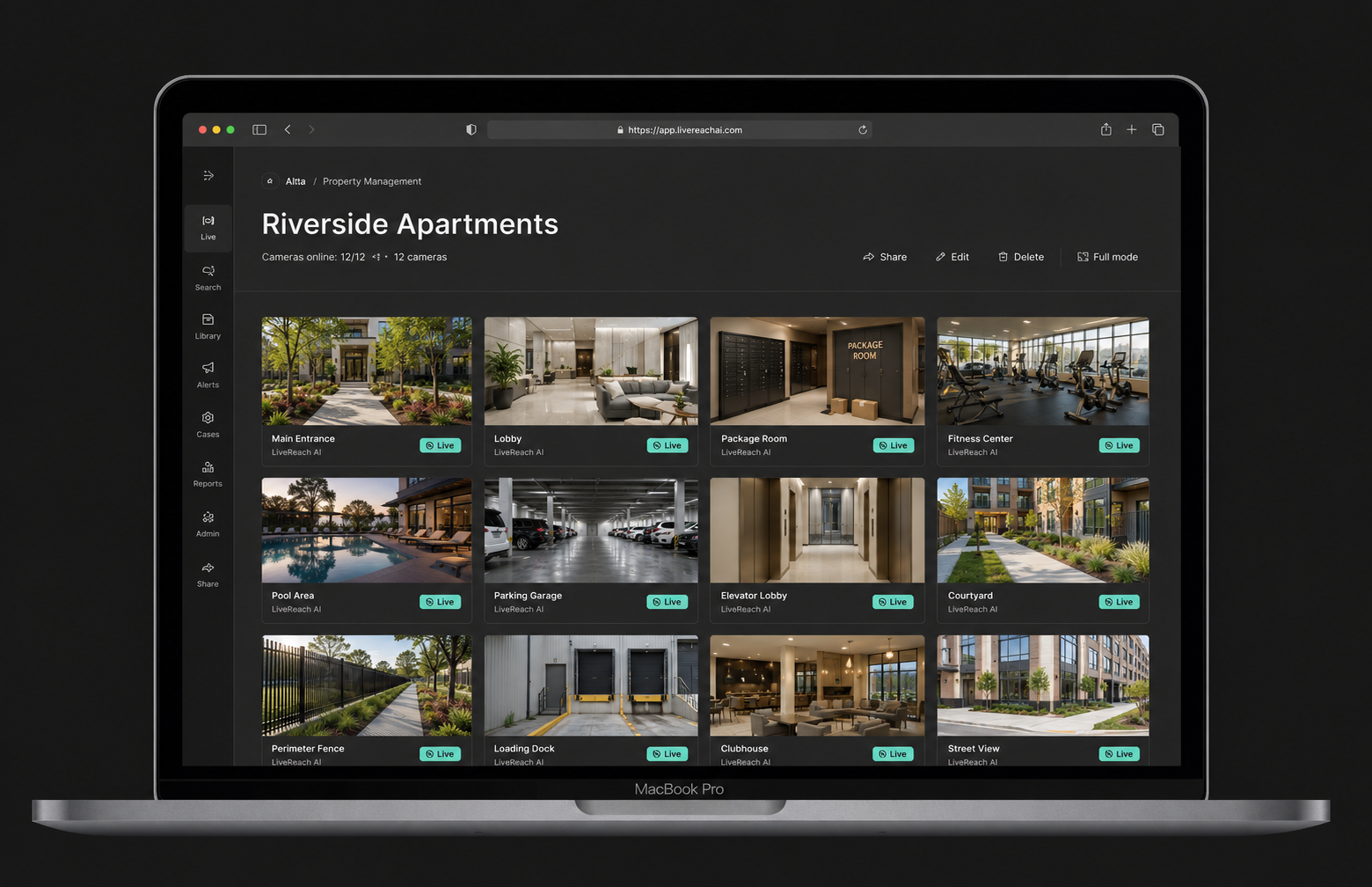
Property managers need reliable visibility across entrances, lobbies, parking areas, package rooms, shared amenities, exterior grounds, and other common spaces.
LiveReach helps multifamily owners and operators review incidents, monitor appropriate areas, and manage video across multiple communities. The platform works with compatible analog and IP cameras, allowing property teams to update their security capabilities without replacing their entire camera infrastructure.
LiveReach brings AI-powered video search, real-time alerts, case management, and centralized monitoring together in one platform.

Find footage related to vandalism, theft, property damage, trespassing, resident disputes, and other incidents in appropriately monitored areas.
Authorized users can review footage from several cameras, save relevant clips, and build a clearer incident timeline without searching through hours of video.
.png)
Maintain visibility around building entrances, lobbies, shared hallways, elevators, leasing offices, clubhouses, fitness centers, and other common areas.
Configured alerts can notify authorized staff about supported activity, helping teams review after-hours entry, unexpected movement, and other potential concerns.
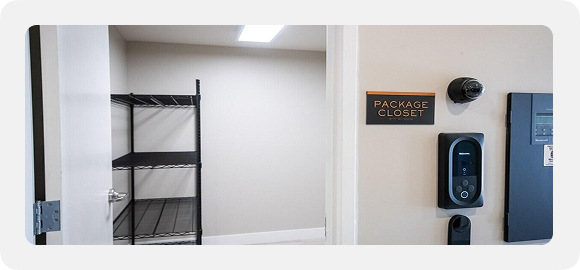
Package rooms, mail areas, parking lots, and garages are common sources of resident complaints and incident reports.
LiveReach helps property teams find relevant footage, review visitor and vehicle activity, and gather video connected to missing deliveries, property damage, unauthorized entry, or parking incidents.
.png)
Review activity involving maintenance teams, contractors, delivery personnel, landscaping crews, and other service providers.
Video search and alerts can provide useful context when teams need to review after-hours access, missing property, completed work, or activity around maintenance areas and restricted spaces.

View authorized cameras, alerts, users, and incidents across apartment communities and other managed properties from one centralized dashboard.
Regional and corporate teams can maintain visibility across the portfolio without switching between different video systems at each property.

Works With Existing Cameras
Connect compatible analog and IP cameras to add AI-powered search, alerts, cloud access, and centralized video management without replacing the full system.
Faster Incident Investigations
Search recorded footage for relevant people, vehicles, movement, and events instead of reviewing video minute by minute.
Centralized Portfolio Visibility
Manage cameras, alerts, users, and incidents across one apartment community or a growing multifamily portfolio.
Role-Based Cloud Access
Give regional, corporate, and on-site teams access only to the properties, cameras, and platform functions relevant to their responsibilities.

See how LiveReach can help your team review incidents faster, monitor appropriate shared spaces, and manage multifamily security cameras across every authorized property.
Request a demo to see how LiveReach can benefit you.
A multifamily security camera system helps authorized property teams monitor common and exterior areas, review incidents, manage cameras, and respond to physical security concerns across apartment communities.
LiveReach adds AI-powered search, real-time alerts, case management, role-based access, and centralized portfolio visibility to compatible camera infrastructure.
LiveReach supports compatible analog and IP cameras. This allows many property management teams to add modern video security capabilities without replacing every camera.
Compatibility should be confirmed based on the cameras, network, and recording infrastructure used at each property.
Yes. Authorized teams can access cameras, alerts, users, and incidents across multiple properties through one centralized platform.
Role-based permissions can limit each user to the properties, cameras, and functions relevant to their responsibilities.
AI-powered video search helps authorized users locate relevant people, vehicles, movement, and events without manually reviewing hours of footage.
This can support investigations involving vandalism, trespassing, property damage, missing packages, parking incidents, and activity in other appropriately monitored areas.
LiveReach can help property teams locate and review footage from package rooms, mail areas, parking lots, garages, entrances, and nearby camera views.
The platform supports incident awareness and review, but it does not guarantee that theft, damage, or unauthorized activity will be detected or prevented.
Yes. Role-based permissions allow administrators to control which properties, cameras, footage, and platform functions are available to each authorized user.
Common locations may include entrances, lobbies, shared hallways, mailrooms, parking areas, leasing offices, amenities, exterior grounds, and maintenance entrances.
Cameras should not be placed inside individual apartments, bathrooms, changing rooms, or other areas where residents, visitors, or employees reasonably expect privacy. Placement should follow applicable laws and property policies.